A design platform’s speed and ease of use can change how fast you’re able to produce turnarounds on flyers and social media graphics. If you’re under a time crunch, you need a platform that supports fast editing, AI integrations, and template libraries. Worry not, there are plenty of online flyer makers that can help you create polished content in less than 5 minutes.
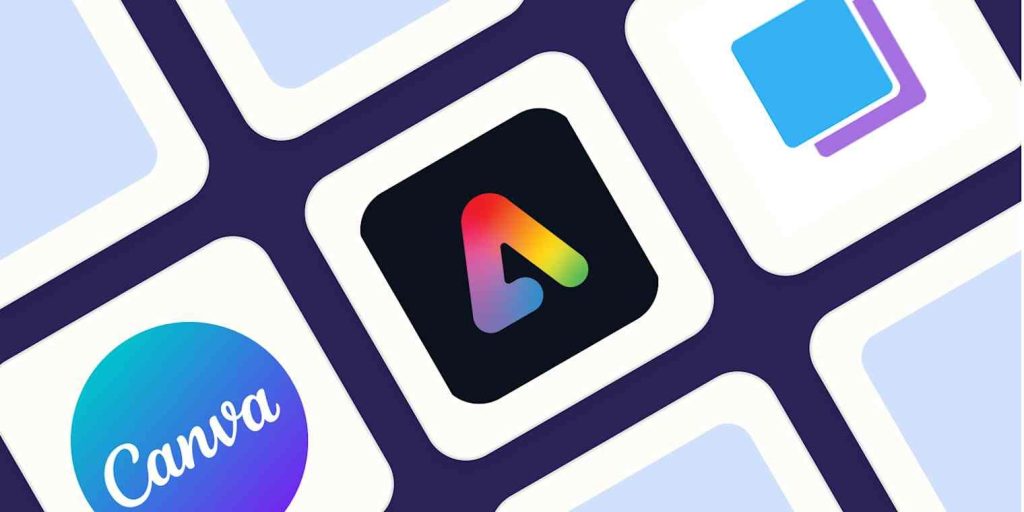
In this blog post, we’ll go over popular AI flyer maker options such as Canva, Desynger, Visme, Adobe Express, and PosterMyWall. We’ll compare and contrast features, pricing, AI tools, best use cases, and more.
- Canva
Overview
Canva remains a widely chosen design platform for good reason. It offers general-purpose templates for flyers, presentations, social media posts, and more. It’s appreciated by both professionals and non-designers alike for its versatility, abundance of features, and visually-guided website. Its interface is user-friendly, web and app based, and easy to navigate. If you’re short on time, Canva could be a good potential match for you.
Key Features
- AI-powered design suggestions: Upscale your layout by fixing elements, spacing, and text.
- Template library: One of the biggest template libraries online with multiple formats that are accurately pre-sized according to dimensions for various social media platforms.
- Built-in photo library: Access to free stock pictures, elements, stickers, and videos.
- Brand kit tools: Reuse and store logos, fonts, and colour palettes to maintain branding.
- Collaboration tools: Share, edit, and work with your creative team in real time.
Pricing
- Free tier
- Canva Pro: $12.99/month
- Canva Teams: $14.99/month
- Canva Enterprise: Custom pricing
Best Use Cases
- Content creators
- Lifestyle bloggers
- Social media marketers
- Creative teams
- Desynger
Overview
If you’re looking for speed and accessibility, Desygner’s got you covered. Now known as ‘Fluer’, this platform focuses heavily on ease of use for users of all skillsets and doesn’t have an overwhelming interface. It offers comprehensive features for brand consistency and has a powerful PDF editor for document-related tasks.
Key Features
- AI design assistant: Generate graphics, layouts, and templates from text prompts.
- AI copywriting: Generate headlines, text bodies, and social media captions from designs.
- Smart resizing: Repurpose a single design for multiple formats, with correct dimensions.
- Locked branded templates: Lock specific elements on a design to maintain brand tone.
- Asset library: Find custom fonts, colours, and royalty-free images for flyers.
Pricing
- Free tier
- Business: $14/month per user
- Enterprise: Custom pricing according to team size.
Best Use Cases
- Authors and mobile-first creators
- Franchises
- Corporate reporting
- Lifestyle content creators
- Social media marketers
- Visme
Overview
Visme’s a great option for those who rely on statistic-driven infographics on a regular basis. This tool transforms mundane numbers into interactive presentations, documents, and data-synced live charts. You can also animate and add widgets into your designs for motion editing. Additionally, this platform doesn’t have a steep learning curve but does prioritize data reporting over flyer creation.
Key Features
- AI designer: Generate entire presentations, documents, and social media graphics from text prompts.
- AI image tools: Remove backgrounds, erase or replace objects, and create unique AI visuals.
- AI writer: Pulls brand assets like fonts, colours, and logos from a website URL to create a brand kit.
- Data visualization: 30 different types of charts, graphics, and diagrams. You can also create 3D charts that viewers can rotate 360 degrees.
- Analytics: Teams can collaborate and track their viewer engagement with built-in analytics tools.
Pricing
- Free tier
- Starter: $29/month
- Pro: $59/month
- Enterprise: Custom pricing
Best Use Cases
- Interactive e-books
- Trackable sales proposals
- Live performance dashboards
- Investor pitch decks
- Adobe Express
Overview
Adobe Express is Adobe’s answer to simplified, user-friendly, and fast graphic designing. It bridges the gap between web-based social media tools and professional design software. If you’re looking for polished flyers, this platform can help achieve that look with its many professionally-designed templates. Furthermore, if you’re looking to design frequently, Adobe Express offers asset-sharing with other Adobe softwares as well.
Key Features
- Text-to-template: Generate design templates or high-resolution photos by giving a text prompt.
- Generative fill: Use AI to insert or remove objects from images.
- AI assistant: Conversational tool that helps you edit layers, rewrite text, and make design changes through chat prompts.
- Quick actions: One-click tools such as background removal, resizing, and converting files.
- Direct publishing: Schedule and publish your designs from within the editor.
Pricing
- Free tier
- Premium: $9.99/month per user
Best Use Cases
- Multi-channel marketing campaigns
- Professional marketers
- Instagram and TikTok content
- Viral content repurposing
- PosterMyWall
Overview
If you’re looking to speed up the process by using an all-in-one marketing suite, PosterMyWall offers exactly that. This centralized design hub offers a simple drag-and-drop editor, customizable templates, social media scheduling, and even email marketing tools. With this platform, your workflow will become significantly easier to handle. If you’re a non-designer, PosterMyWall is a great fit for you because it covers all the steps of digital marketing.
Key Features
- AI image generator: Generates unique artwork, visuals, and layouts from text prompts.
- One-click AI background remover: Isolates subjects from their backgrounds in both images and videos.
- Email suite: Design, schedule, and send out emails.
- Template library: Access to over 1 million templates catering to many niches and themes.
- AI voiceovers: Generates realistic subtitles and text-to-speech AI voiceovers for video content.
- AI writer: Generates text and captions for social media, flyers, and presentations.
Pricing
- Free tier
- Premium: $9.95/month
- Premium Plus: $29.95/month
Best Use Cases
- Churches, community clubs, and retail chains
- E-commerce businesses
- Social media marketers
- Event planners
- Restaurants, bars, and cafes
4 Essential Tips for Designing Flyers that Stand Out
Now that you have a design platform to work on, here are some tips to create impactful and interactive flyers that actually attract viewers’ attention.
- Prioritize the Big Three
Your flyer must communicate the following, clearly:
- What: The event or offer
- When: Date or time
- Where: Location or URL
By using a distinct and clear visual hierarchy, audiences will know what you’re trying to sell right away. Free event flyer templates are already pre-sized and designed by professionals, so they can help in saving extra time and effort required to maintain readability.
- Optimize for Colour Space
If you’re designing flyers for digital use, use RGB to maintain the vibrance of colours on Instagram or Facebook. However, if you’re printing out flyers for physical use, CMYK conversion is very important so colours don’t look muddy or blended together.
- Use High-Resolution Images
If you insert blurry or pixelated images in your design, it’ll come across as unprofessional and rushed. Pick a platform with a wide stock photo selection and ensure any visuals used are at least 300 DPI for good printing outcomes. For digital posters, ensure they’re under 5MB or compressed so they can load faster on both mobile devices and web.
- Use Scannable Call-to-Actions
Call to actions propel the viewers into making a decision once they understand your flyer. If you’re missing a CTA or have placed it randomly, it can be hard for audiences to know what to do next.
For physical flyers, use a QR code so people can directly head to your website. For digital flyers, ensure there’s a link in bio mentioned or a swipe up so audiences know where to find more details.


